tbq::GaugeTarget Class Reference
A gauge used to determine how close we are from a target value. More...
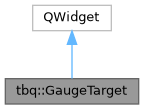
Inheritance diagram for tbq::GaugeTarget:
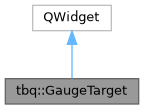
Collaboration diagram for tbq::GaugeTarget:
Public Member Functions | |
| GaugeTarget (QWidget *parent=nullptr) | |
| Create a gauge target with their default values. | |
| bool | isInTolerance () const |
| Use to know if current value is in tolerance zone. | |
| GaugeTargetStyle | getStyle () const |
| Retrieve gauge current style. | |
| void | setValue (int value) |
| Use to set current value. | |
| void | setRange (int min, int max) |
| Use to set range to display for the gauge. | |
| void | setTarget (int target, int tolerance) |
| Set the target value. | |
| void | setTarget (int target, int tolerance, int range) |
| void | setStyle (const GaugeTargetStyle &style) |
| Set style of the gauge. | |
| QSize | sizeHint () const override |
Protected Member Functions | |
| void | paintEvent (QPaintEvent *event) override |
Detailed Description
A gauge used to determine how close we are from a target value.
Allow to display a tolerance zone, where a valu is considered valid while trying to be as close as possible of a target.
- See also
- GaugeTargetStyle
Constructor & Destructor Documentation
◆ GaugeTarget()
|
explicit |
Create a gauge target with their default values.
- Parameters
-
[in,out] parent Parent widget.
Member Function Documentation
◆ isInTolerance()
| bool tbq::GaugeTarget::isInTolerance | ( | ) | const |
Use to know if current value is in tolerance zone.
- Returns
- Returns
trueif current value is in tolerance zone.
- See also
- setRange(), setTarget()
- setValue()
◆ getStyle()
| GaugeTargetStyle tbq::GaugeTarget::getStyle | ( | ) | const |
◆ setValue()
| void tbq::GaugeTarget::setValue | ( | int | value | ) |
◆ setRange()
| void tbq::GaugeTarget::setRange | ( | int | min, |
| int | max ) |
Use to set range to display for the gauge.
The range corresponds to the all gauge.
- Parameters
-
[in] min Minimum range to use [in] max Maximum range to use
- See also
- setTarget(), setValue()
◆ setTarget() [1/2]
| void tbq::GaugeTarget::setTarget | ( | int | target, |
| int | tolerance ) |
Set the target value.
- Parameters
-
[in] target Target value to use.
The goal is to be as close as possible of this value[in] tolerance Tolerance value to use.
- See also
- setRange(), setValue()
◆ setTarget() [2/2]
| void tbq::GaugeTarget::setTarget | ( | int | target, |
| int | tolerance, | ||
| int | range ) |
This is an overloaded member function, provided for convenience. It differs from the above function only in what argument(s) it accepts.
- Parameters
-
[in] target Target value to use.
The goal is to be as close as possible of this value[in] tolerance Tolerance value to use. [in] range Range to use
- See also
- setRange(), setValue()
◆ setStyle()
| void tbq::GaugeTarget::setStyle | ( | const GaugeTargetStyle & | style | ) |
Set style of the gauge.
- Parameters
-
[in] style Style to use on the gauge
The documentation for this class was generated from the following files:
- include/toolboxqt/widgets/gauges/gaugetarget.h
- src/widgets/gauges/gaugetarget.cpp
Generated by
 1.12.0